Bhandar
Stop counting stock at closing time.
Point of sale and shop management for retail. Ring up a sale and your stock, expenses, and reports all move with it, whether you run one shop or ten.

Two minutes, start to close
A sale at the counter, stock going down behind it, an expense logged, and the evening report. No narration needed.
One counter, one set of books
Bhandar is the till, the stock book, and the expense ledger in one login. Nothing is entered twice and nothing has to be reconciled at the end of the day.
Sell
Scan or search, take cash, online, or a split of both, and print the receipt. One screen from first item to change given.
Stock
Every sale moves the count. Set a threshold per item and the ones that fall under it gather on a single screen.
Spend
Rent, salary, transport, supplies. Logged with a category and a date, against the takings that cover them.
Review
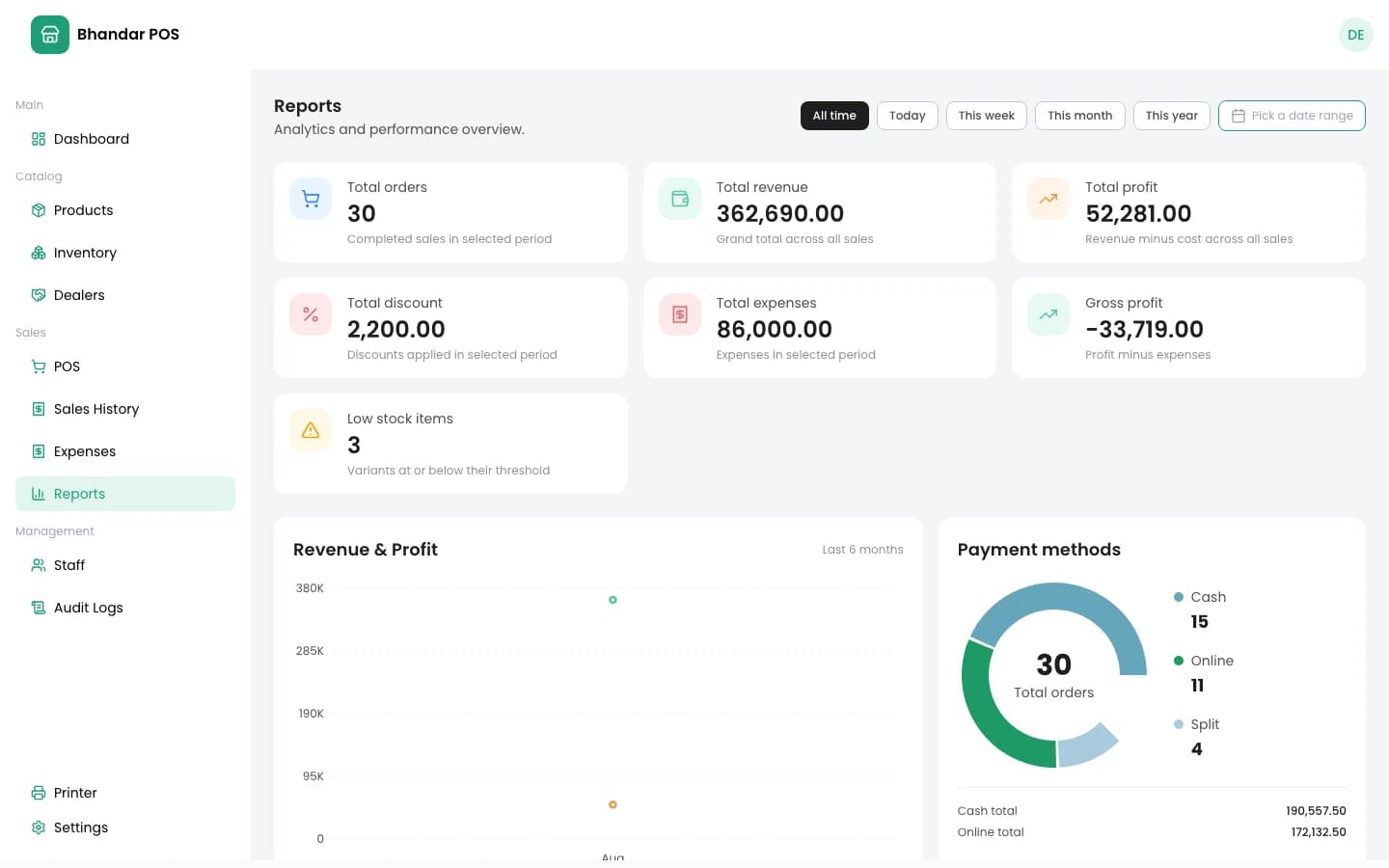
Revenue, profit, discounts and expenses for any stretch of days, split by payment method and by product.
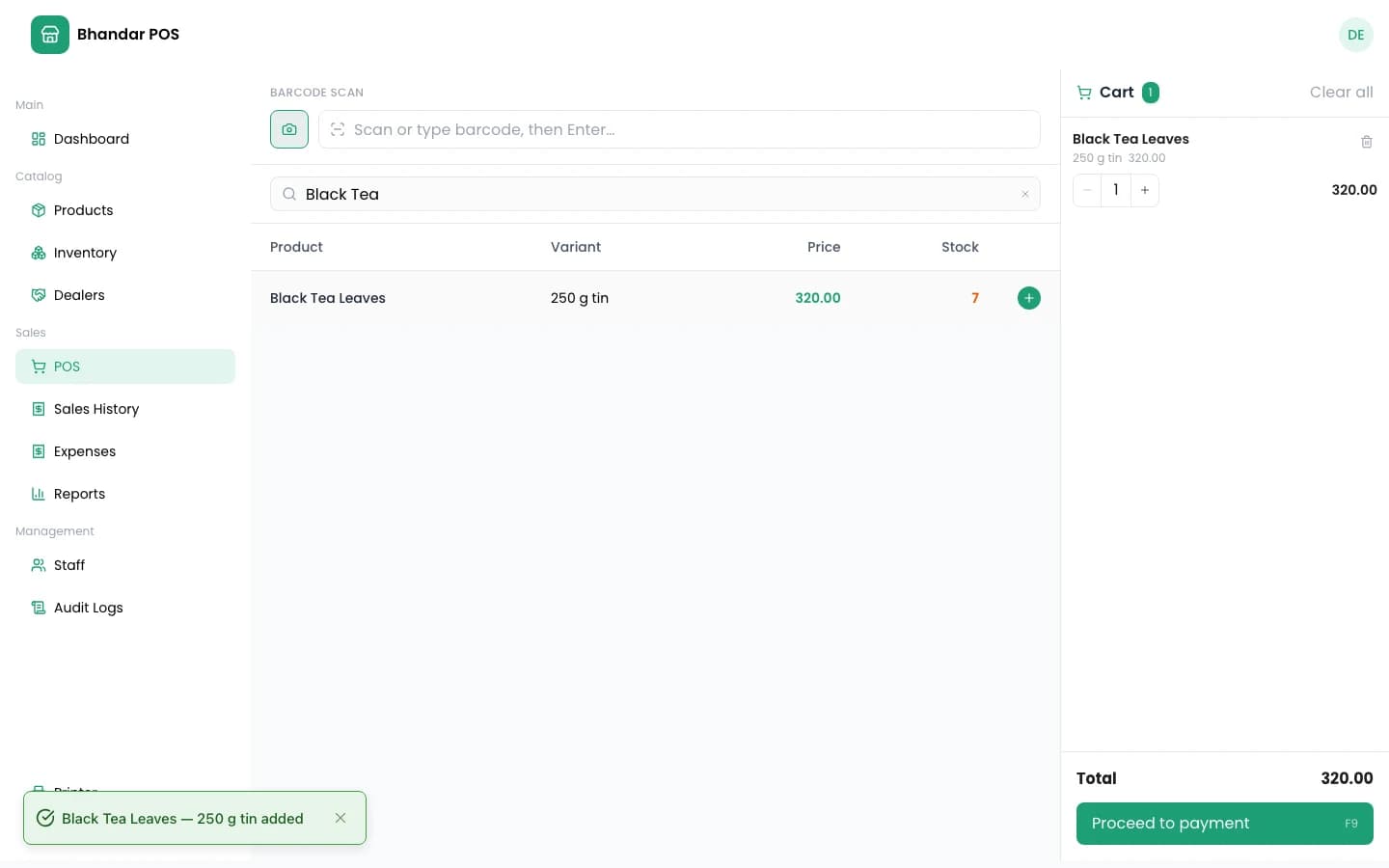
The whole sale on one screen
No tabbing between a product list, a stock sheet, and a calculator. Search, stock, cart, and payment sit together, which is the only way a queue moves.
> Built for one hand on the scanner
Every branch, the same login
Open a second shop and nothing gets set up twice. Each keeps its own stock, staff, and invoice numbers, and you still get one total across all of them.
Switch between them without signing out.
What the owner sees
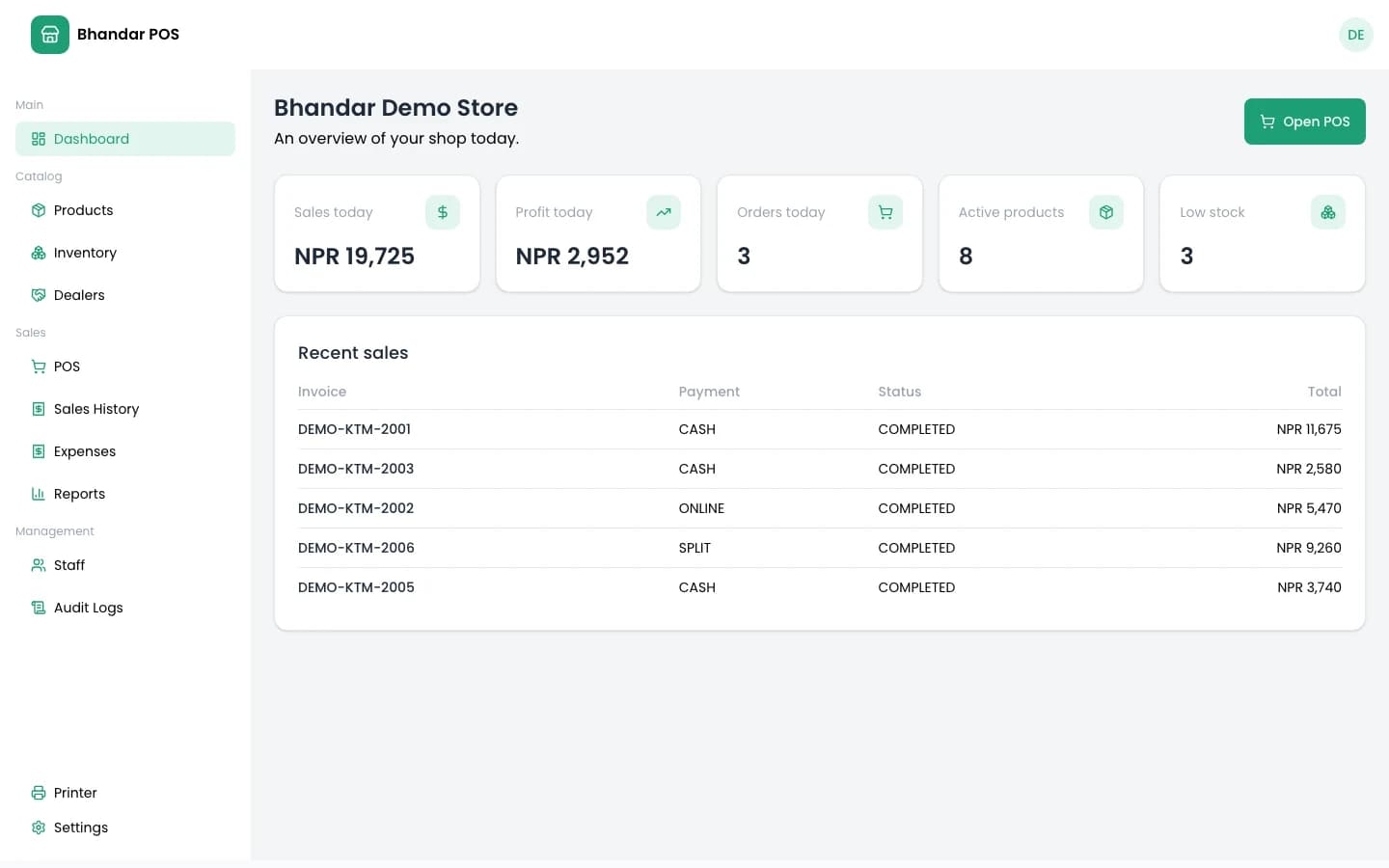
Every branch, every product, every rupee. Stock levels, staff accounts, expenses, and the reports that tie them together — all reachable from the shop list you land on.
Owners also decide, per staff member, which of these screens open at all.
What the cashier sees
The checkout screen, and whatever else you have allowed. Staff sign in with their own password, work in one shop, and never land in the management side by accident.
Revoking a staff login takes effect immediately, on their next request.
From the people behind the counter
Not our words.
“Quote from a shop owner, in their own words, about what changed after they switched.”
Owner name
Shop name, location
“A second quote — ideally about one specific thing, like closing time or stock counts.”
Owner name
Shop name, location
“A third quote, from someone running more than one branch if you have one.”
Owner name
Shop name, location
Questions before you start
If something here is not answered, ask and we will add it.